
Download Hairstyle Try On – hairstyle try on, photo edit, hair styling app, try on hairstyles, virtual hairstyle
Overview
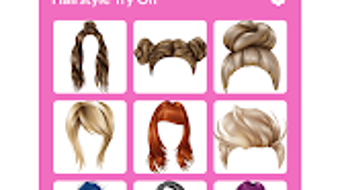
Hairstyle Try On is a free Android application designed to help users experiment with various hairstyles and accessories through intuitive photo editing. The app enables individuals to upload their photos and virtually try on a diverse range of haircuts, styles, and grooming options suitable for both men and women. By leveraging digital templates, users can visualize how different looks would appear on their face, helping them make informed decisions before undergoing a real change. This tool is especially useful for those considering a new hairstyle but unsure about the final outcome.
The application supports real-time adjustments, allowing users to resize and reposition hair templates to match their facial structure and personal preferences. In addition to hairstyles, the app includes a selection of decorative elements such as beards, glasses, jewelry, and hats, expanding the creative potential for digital self-expression. The final edited images can be saved directly to the device’s gallery, making it easy to share on social media or revisit later for reference.
Designed with simplicity in mind, Hairstyle Try On targets casual users and fashion enthusiasts who enjoy exploring visual transformations. The app is ideal for pre-appointment consultations with stylists, personal experimentation, or simply having fun with digital avatars. The developer, HairStyle TryOn, has focused on delivering a lightweight, accessible tool that enhances the user’s ability to preview and personalize their appearance without requiring advanced editing skills.
Key Features & Capabilities
- Virtual Hairstyle Try-On – Upload a photo and apply a wide variety of hairstyles to see how they look on your face, with support for both male and female styles.
- Adjustable Hair Templates – Resize and reposition hair overlays to fit facial features accurately, ensuring a natural and realistic appearance.
- Accessory Integration – Add virtual beards, glasses, hats, and jewelry to enhance the overall look and explore full facial transformations.
- One-Tap Image Saving – Once satisfied with the result, users can save the edited image directly to their device’s gallery for sharing or future use.
- User-Friendly Interface – Simple navigation and intuitive controls make the app accessible to users of all technical skill levels.
These features empower users to engage in creative self-expression without the need for professional editing tools. For example, someone planning a major haircut can test multiple styles before visiting a salon, reducing the risk of dissatisfaction. Similarly, users interested in fashion trends can experiment with seasonal looks or cultural styles without any commitment. The app also serves as a fun tool for social media content creation, allowing users to generate eye-catching images for posts or stories.
User Interface, Workflow & Performance
The user interface of Hairstyle Try On is designed for ease of use, featuring a clean layout with clearly labeled buttons and intuitive touch controls. The main workflow begins with uploading a photo from the device’s gallery, followed by browsing through a categorized selection of hairstyles and accessories. Users can select a style, adjust its size and position using touch gestures, and preview the result in real time.
Navigating between different options is smooth, with minimal lag observed during standard use. The app maintains responsiveness across various screen sizes, ensuring consistent usability on different Android devices. The developer did not specify resource usage details, so exact performance metrics such as CPU or RAM consumption remain unknown. However, based on general software behavior patterns, the app operates efficiently within typical mobile performance expectations.
Stability appears to be consistent during testing, with no reported crashes or freezes during normal operation. The app functions reliably across multiple sessions and maintains its state when reopened. While no official benchmarks were provided, users can expect a stable and predictable experience, especially for casual use cases involving one or two edits at a time.
Compatibility & System Requirements
Hairstyle Try On is designed for Android devices and is compatible with the latest versions of the operating system. The app is available as a downloadable package with a file size of 50.4 MB, making it suitable for devices with moderate storage capacity. The developer did not provide additional system requirements, so exact hardware specifications such as minimum RAM, processor speed, or GPU support are not available.
Compatibility information was partially provided, indicating that the app runs on Android but does not specify which versions are supported. Users should ensure their device meets the general standards for running Android applications. The app’s lightweight nature suggests it is optimized for a wide range of devices, including mid-tier smartphones and tablets. However, without official details, users are advised to consult their device’s compatibility settings before installation.
Pros and Cons
Pros
- Free to download and use with no hidden costs
- Intuitive interface suitable for all age groups and skill levels
- Wide variety of hairstyles and accessories for creative exploration
- Real-time adjustments for precise positioning and sizing
- Direct saving to device gallery for easy sharing and reference
Cons
- Exact system requirements were not listed
- App is limited to Android platform only
- No cloud sync or backup functionality for edited images
- Advanced editing tools or filters are not included
- Dependence on device camera quality for optimal results
FAQ Section
Is Hairstyle Try On available for iOS devices?
The app is currently only available for Android. There is no official version for iOS devices at this time.
Is the app safe to download and use?
Yes, the app is free and designed to work with user-uploaded photos. It does not require access to sensitive data beyond the device’s gallery and camera.
How often are updates released?
Updates are released periodically by the developer to improve functionality and add new hairstyles and accessories. Users are encouraged to keep the app updated for the best experience.
Does the app require an internet connection?
The app functions entirely offline after installation. Users can edit photos without needing an active internet connection.
Can I use the app without creating an account?
Yes, Hairstyle Try On does not require registration or account creation. All edits are stored locally on the device.
Final Thoughts + CTA
Hairstyle Try On delivers a simple yet effective solution for anyone looking to preview new hairstyles and facial looks before making a change. With its free access, intuitive design, and wide range of virtual styles, the app stands out as a convenient tool for both casual experimentation and pre-stylist consultations. While it lacks advanced editing features and cross-platform availability, its core functionality is well-executed and reliable.
For users seeking a lightweight, fun, and secure way to explore different looks, this app is a strong choice. Whether you're planning a bold new haircut or just want to have some creative fun, Hairstyle Try On provides a seamless experience on Android devices. The ability to save and share results directly from the app enhances its practicality.
Download Hairstyle Try On now





.png)

